How it works

Two minutes to set up. Ten seconds per meal after that.

The whole design goal is that recording what you ate and what you lifted costs less effort than not recording it. Here is what actually happens at each step.

1

Set your targets in two minutes

Height, weight, age, how active you are, and whether you want to lose fat, hold steady or build muscle. You get a daily calorie and protein target with the maths shown — not a number pulled from nowhere — and you can override it whenever you disagree.

2

Record the food

Photograph the plate, describe the meal in a sentence, or search the food database. Whichever you pick, it lands in the right meal slot with calories and all four macros attached — usually in under ten seconds.

3

Record the training

Say what you did — “4 sets of 8 bench at 60kg” — and it is logged with sets, reps, weight and muscle group. Pull any movement from the exercise library first if you want the demonstration, then log straight from it.

4

Scan a set when form matters

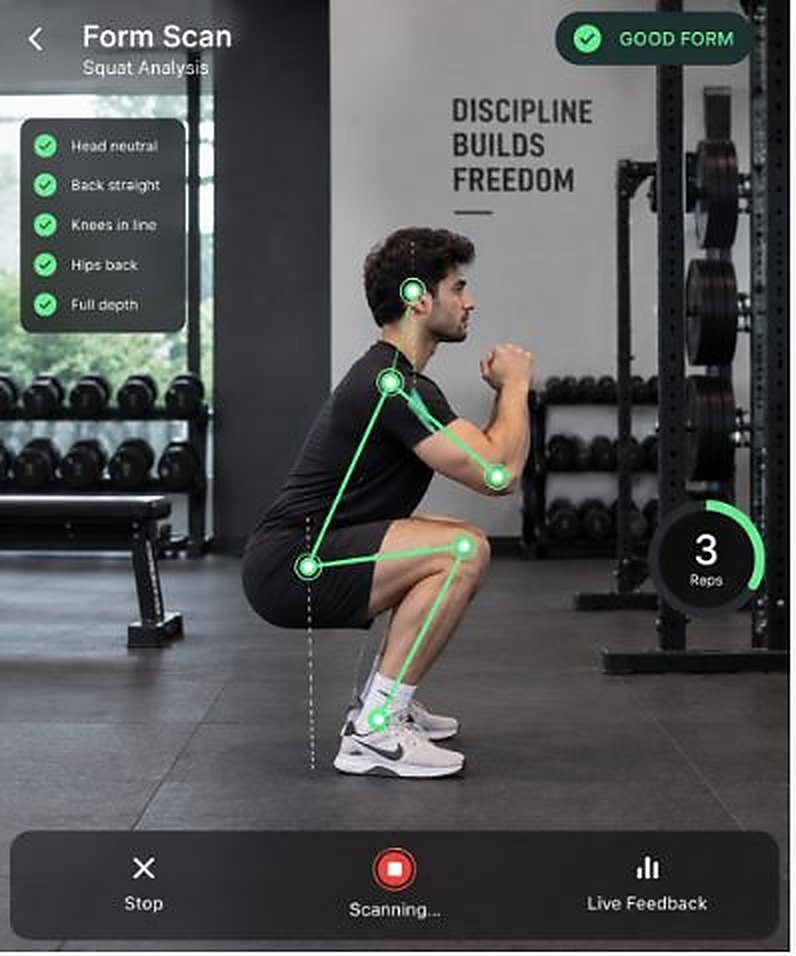
Prop your phone side-on and record one working set. Pose detection runs in your browser, scores depth, back angle and tempo per rep, and tells you which single thing to fix first. The video never leaves the device.

5

Ask when you are stuck

“Is 80g protein enough for me?” “What can I eat tonight that fits?” “Why has my bench stalled?” The coach has read your food logs, your workout logs and your targets, so the answer is about you rather than about people in general.

6

Fuel it properly

Clean, plant-based nutrition under our own label — zero additives, zero added sugar, nothing on the ingredient list you cannot pronounce. Launching soon, and it will sit right inside the app you already track in.

Recording

Five ways in, because one never fits everything

Sometimes you want to photograph the plate. Sometimes you are mid-set and it is faster to say it. All five end up in the same two logs.

Photograph the plate

The fastest route, and the one most people end up using. Works on mixed plates: the model identifies each component, estimates its portion, and adds up the total. Correct anything that looks wrong before saving.

Best for: home-cooked plates, restaurant food, anything with more than two things on it

Describe the meal

"Two rotis, a bowl of rajma and half a cup of rice." Written the way you would say it out loud. The coach parses it into individual items with quantities and logs them to the meal you name.

Best for: meals you have already eaten, or when the light is bad

Describe the workout

"Four sets of eight bench at 60kg, then three sets of twelve cable flies." Sets, reps, weight and muscle group are pulled out and written to your training log, and the volume trend updates itself.

Best for: logging between sets without breaking rhythm

Search the library

Hundreds of movements filed by muscle group, each with an animated demonstration. Filter to chest, back, legs, arms, shoulders or core, or search by name — then log straight from the exercise.

Best for: planning a session, or learning an unfamiliar movement

Record a working set

Prop the phone up so it can see you from the side and record one set. Pose detection runs in the browser and reports depth, back angle and tempo per rep, with the correction that matters most first.

Best for: squats, deadlifts and presses — the lifts where form costs you

A food scan, end to end

What happens between the shutter and the log

  1. 01The photo is compressed on your deviceBefore anything is sent, so you are not uploading an 8MB file over patchy 4G.
  2. 02A vision model identifies the componentsNot one label for the whole plate — each item is named separately, with a confidence figure.
  3. 03Portions are estimated from the imageUsing plate and katori sizes as scale references. This is the step most worth checking.
  4. 04Nutrition is attached from the databaseCalories, protein, carbs, fat and fibre for each identified item.
  5. 05You confirm, adjust or discardNothing is written to your day until you tap save. The photo is discarded either way.
Roti ×2DalBhindiRice
518kcal · 4 items · 92% confidence
The training log

Sets in, progression out

Every logged set feeds the same place. Over a few weeks that becomes the only honest answer to “am I actually progressing?” — and the coach reads it before it answers anything.

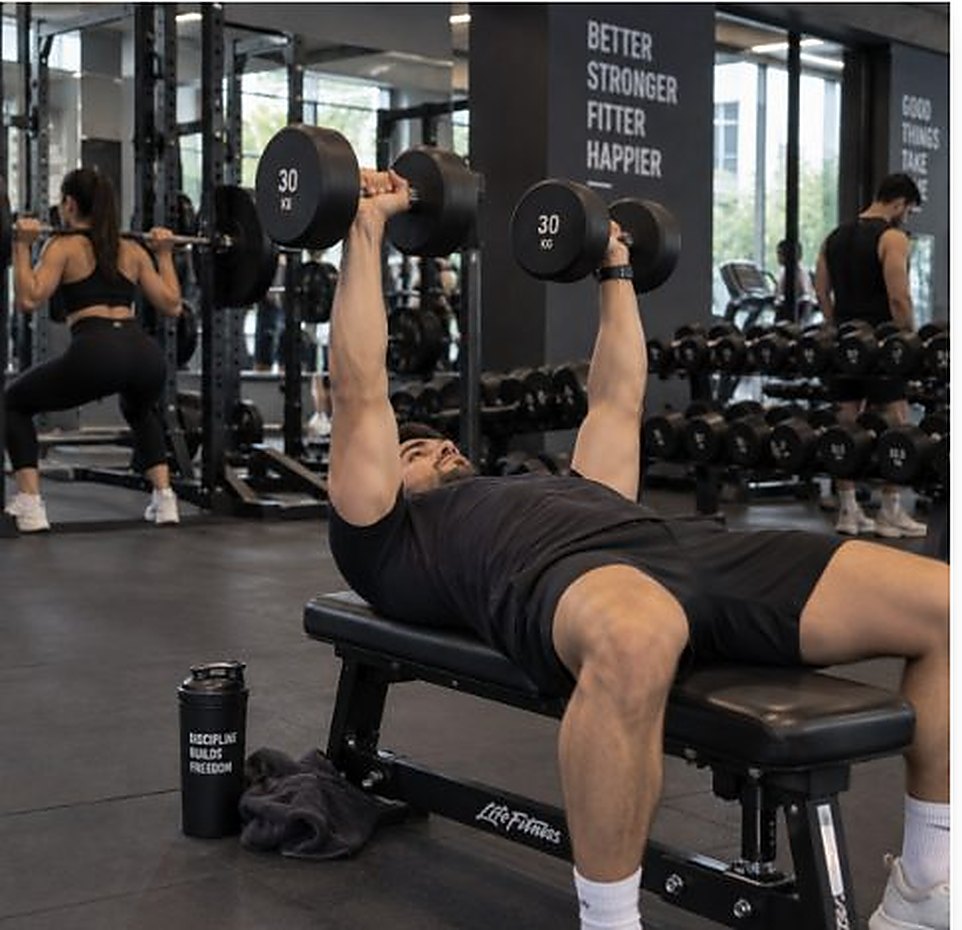
A dumbbell bench press mid-set.
Dumbbell racks along a gym wall.
Form analysis

Why the video never leaves your phone

Knee angle92°Depth reached
Hip angle78°Good hinge
Back angle41°Neutral

Uploading a video of yourself mid-squat to a company you have never met is a genuinely unreasonable thing to ask of someone. So the architecture removes the question.

When you record a set, a pose-detection model loaded into your browser reads the video locally and tracks the position of your joints across every frame. What comes out is a table of numbers — hip angle, knee angle, spine angle, frame by frame. Those numbers, and nothing else, are what get scored.

The practical consequence: there is no upload to switch back on, no retention policy to trust, and no bucket of gym videos that could ever leak. The video exists on your device and then it does not.

The trade-off is honest too. Because analysis is local, it needs a reasonably modern phone and a clear side-on view. In a dark corner of a crowded gym it will sometimes tell you it cannot see you well enough — which is better than confidently scoring a set it could not read.

Start with tonight's dinner

No card, no trial countdown, no 40-question quiz. Sign up, photograph one plate, and see whether it is worth your time.